PentestDesk

Real-time visibility into your security assessments. Track findings, monitor remediation progress, and download reports — all in one place.

Get a Quote

Your Security Command Center

Every DarkPoint Security engagement comes with access to our dedicated client portal. Instead of waiting for a final PDF report at the end of an assessment, you get live access to findings as they are discovered by our consultants.

The portal is your single source of truth for all security engagements — past and present. Track the status of every vulnerability, coordinate remediation with your team, and download compliance-ready reports whenever you need them.
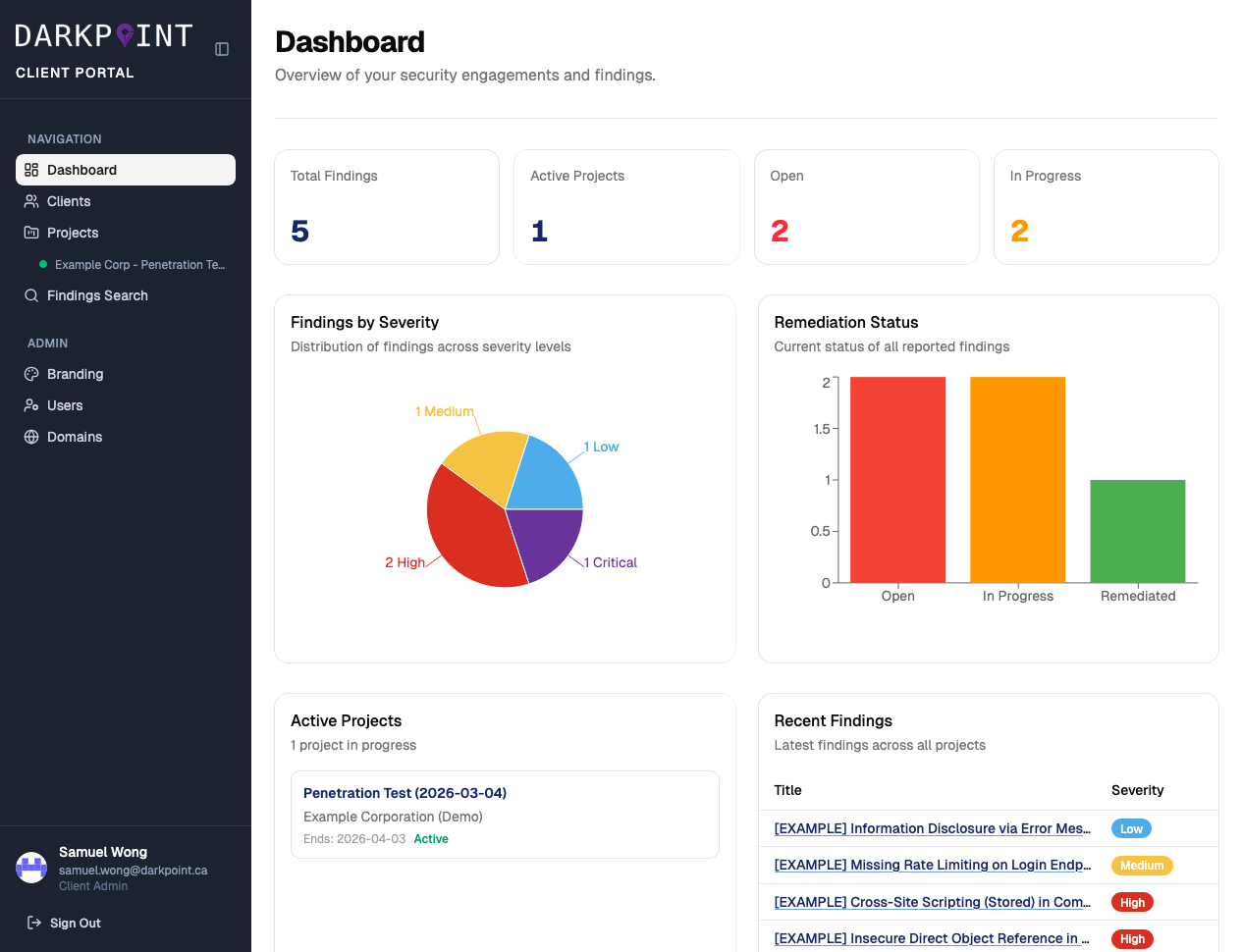
DarkPoint Client Portal Dashboard

Portal Features

Live Findings


Critical and high-severity vulnerabilities are reported to you in real time as our consultants discover them — no waiting until the end of the engagement.

Severity Breakdown


Visual dashboards show findings distributed by severity level — Critical, High, Medium, and Low — so you can prioritize remediation at a glance.

Remediation Tracking


Track the remediation status of every finding — Open, In Progress, or Remediated. Update statuses directly from the portal and leave comments for your team.

Detailed Finding Reports


Each finding includes CVSS scores, vulnerability categories (CWE, OWASP), detailed technical descriptions, proof-of-concept evidence, and actionable remediation steps.

Project Management


View all active and past engagements in one place. Each project shows start and end dates, engagement status, and a complete list of associated findings.

Secure Access


Enterprise-grade security with Microsoft SSO integration, Cloudflare protection, and role-based access controls. Your data stays in Canada and is never outsourced.

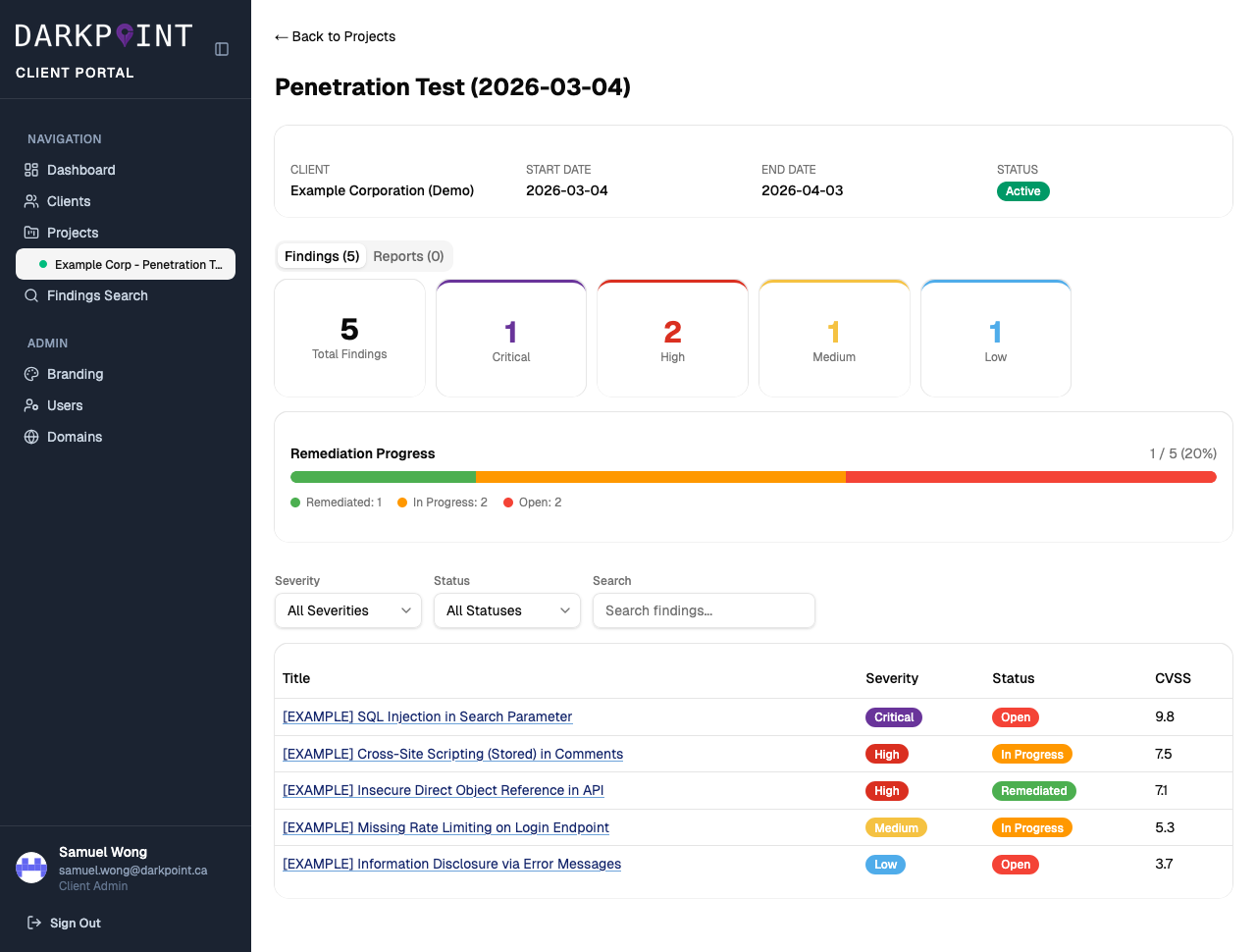
DarkPoint Client Portal Project View

Track Every Engagement

Each project in the portal provides a complete overview of your security assessment:

  • Findings by severity — see the total count broken down by Critical, High, Medium, and Low
  • Remediation progress bar — visual indicator showing how many findings have been resolved
  • Filterable findings table — search, sort, and filter findings by severity, status, or keyword
  • Downloadable reports — export compliance-ready PDF reports at any time

Detailed Vulnerability Intelligence

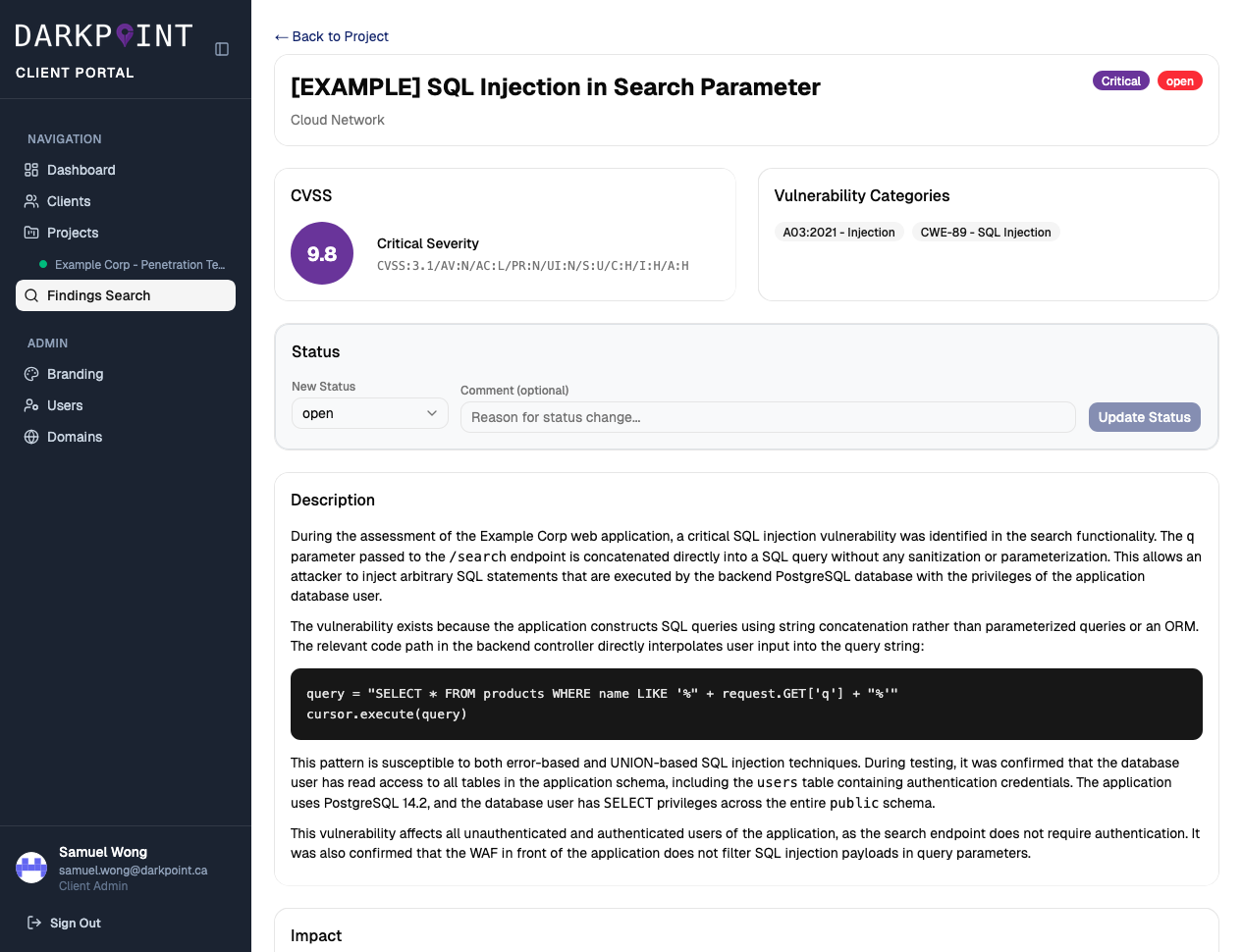
Every finding in the portal includes the full context your team needs to understand and fix the issue:

  • CVSS scoring with full vector string for objective risk assessment
  • Vulnerability categories mapped to OWASP Top 10 and CWE identifiers
  • Technical description with proof-of-concept code and evidence screenshots
  • Impact analysis explaining business risk in plain language
  • Remediation guidance with specific, actionable steps to resolve each issue
  • Status management — update finding status and leave comments directly from the portal
DarkPoint Client Portal Finding Detail

How It Works

1
Engagement Begins

You receive portal credentials when your penetration test kicks off.

2
Live Findings

Vulnerabilities appear in your portal as our team discovers them during testing.

3
Remediate & Track

Your team fixes issues and updates their status. We verify the fixes during retesting.

4
Download Reports

Export final reports for your auditors, board, or compliance requirements.

Ready to Get Started?

Every DarkPoint Security engagement includes full access to the client portal at no additional cost.

Request a Quote